
CPMS 2.0 (https://cpms2.ern-net.eu/) is a secure platform for online patient case discussions between European clinicians.
Like an online forum, you can upload (anonymised) patient cases with text, photos, 3D images. Fellow EU clinicians can then comment on your cases. The site also supports videoconferencing.
If your hospital is a member of any ERN, you can sign up to ERN-ITAHCA’s CPMS. Search for your hospital in this directory: https://webgate.ec.europa.eu/ernsd/screen/public?npage=ern_portal.html#!/
Developed by the European Commission, it is GDPR compliant, whereas other means of communication, such as emails, Zoom and Teams, risk patient data leaks or privacy breaches.
Sign up for CPMS
- Create an “EU Login” account: https://webgate.ec.europa.eu/cas/eim/external/register.cgi
- Download the EU login app and link your account to it: Guide with screenshots
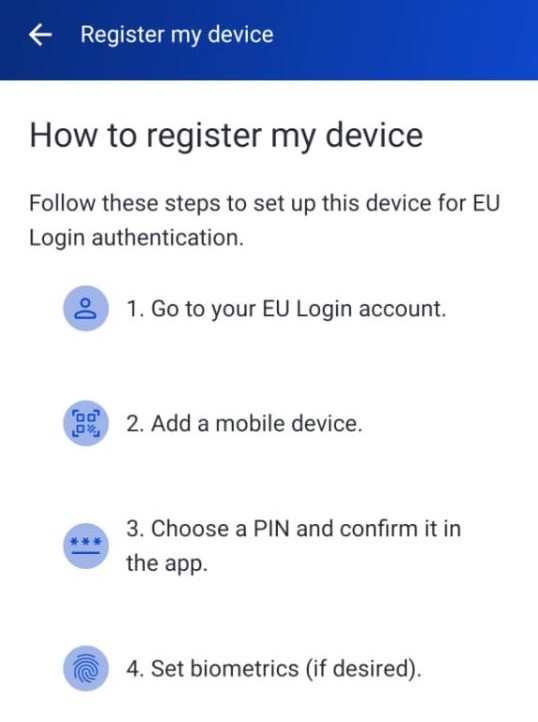
- Log in to CPMS with an EU Login app QR code: https://cpms2.ern-net.eu/
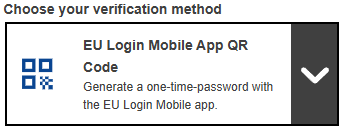
- Request access to ERN-ITHACA’s CPMS. We will let you in shortly.
PDF slides: How to sign up and use CPMS
How to use CPMS
- To view patient cases: “Patient Record”
- To upload a new case: “Add New Patient”
- To join or create a meeting: “Meetings”
Deposit of new patients – powerpoint model
CPMS 2.0 F.A.Q (Frequently Asked Questions)